For shops
Know what to reorder before the shelf is bare.
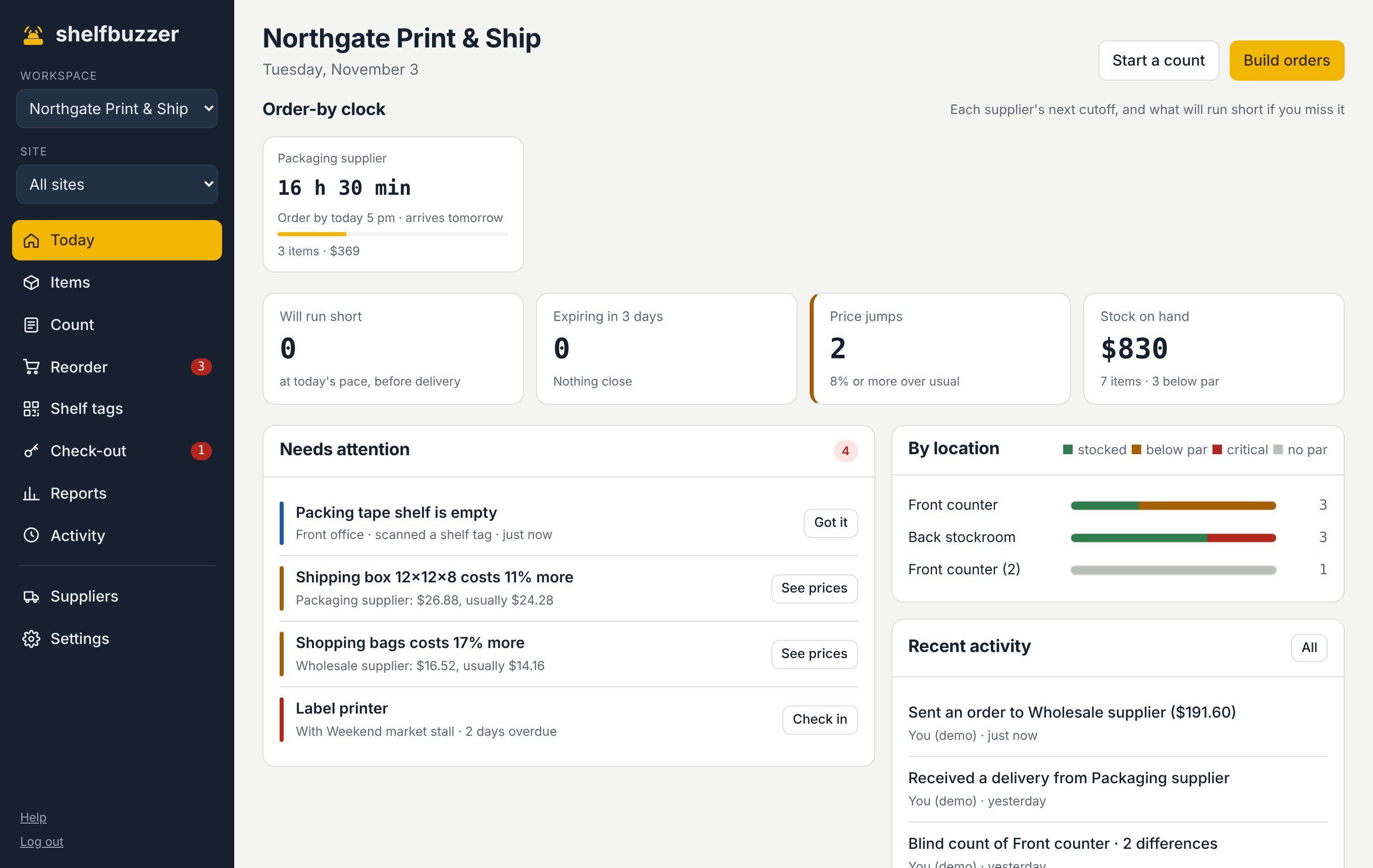
For the stockroom, the supplies behind the counter and the things you sell. Shelfbuzzer counts down to each supplier's cutoff and shows when another of your suppliers has it for less.
No card needed · Starts with a ready-made list for shops
Sound familiar?
Each supplier's order day and cutoff is on the order-by clock, with what will run short if you miss it.
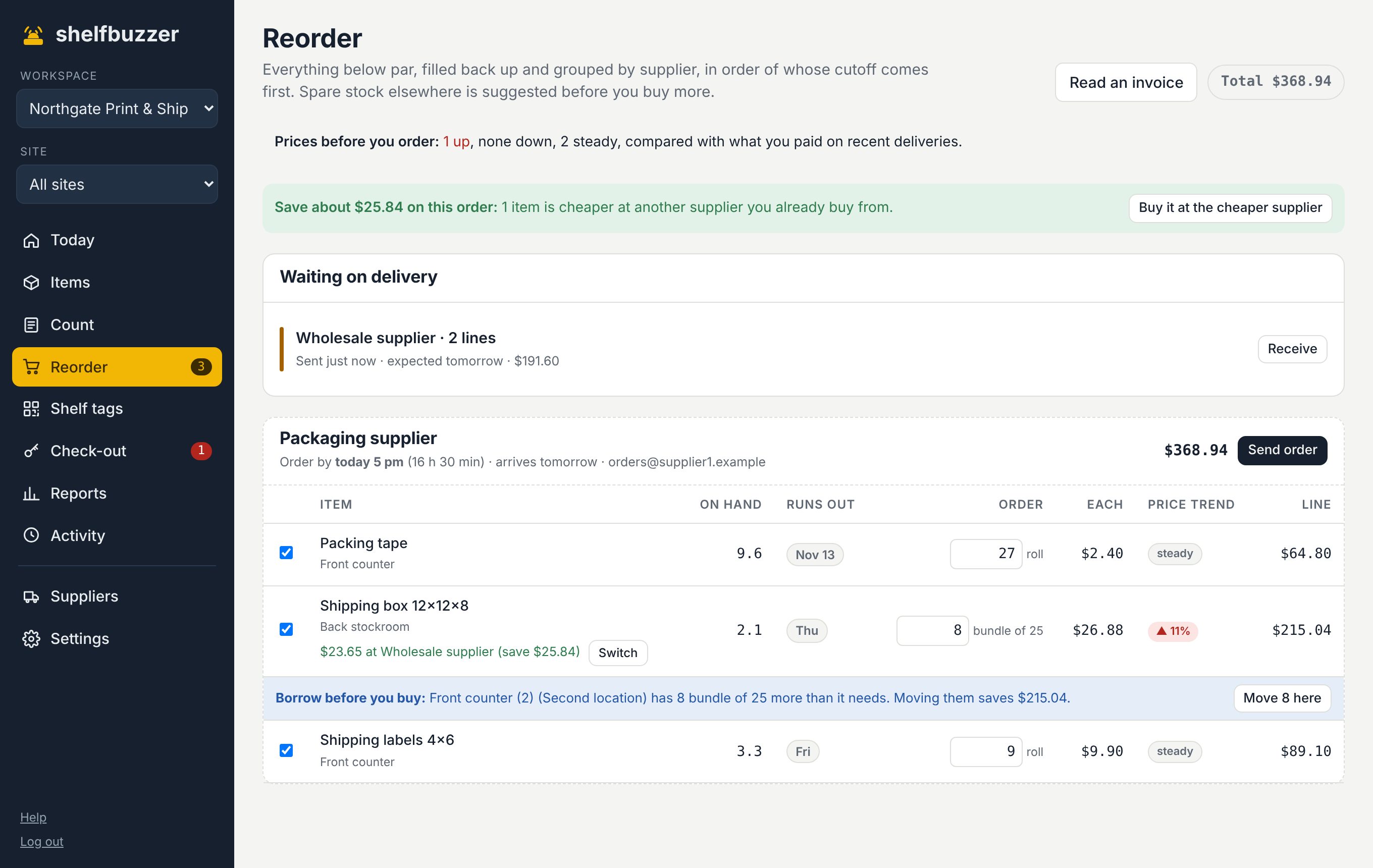
Prices from every invoice are kept per supplier. Reorder shows when the same item is cheaper at another supplier you use.
Blind counts show the difference in units and dollars, so you can see what's going missing.
What you get
Made for how shops actually run.
Order-by clock
Supplier delivery days, lead times and cutoffs, counted down to the hour.
Invoice reading
Photo or PDF. Lines are matched to your items and prices checked against what you usually pay.
Two locations
Keep each store separate, move stock between them, and borrow before you buy.
Reports
Stock value, usage, missing stock and spend by supplier.
Starts with: Bags · receipt paper · price labels · cleaning supplies · display stock · gift wrap. Change anything.
Questions
Asked by shops.
Is this a point-of-sale system?
No. Shelfbuzzer is for keeping stock and supplies on the shelf. It doesn't ring up sales.
Can my staff use it on their phones?
Yes. The whole app works in a phone browser, and shelf tags need no account at all.
Can I try it with my own items first?
Yes. Start free for 3 months with every feature, no card needed. Or look around the live demo first.
Try it on your own shelves.
Free for 3 months with every feature. Set up in an afternoon with a ready-made list for shops.