For restaurant kitchens
Never 86 a dish because nobody ordered.
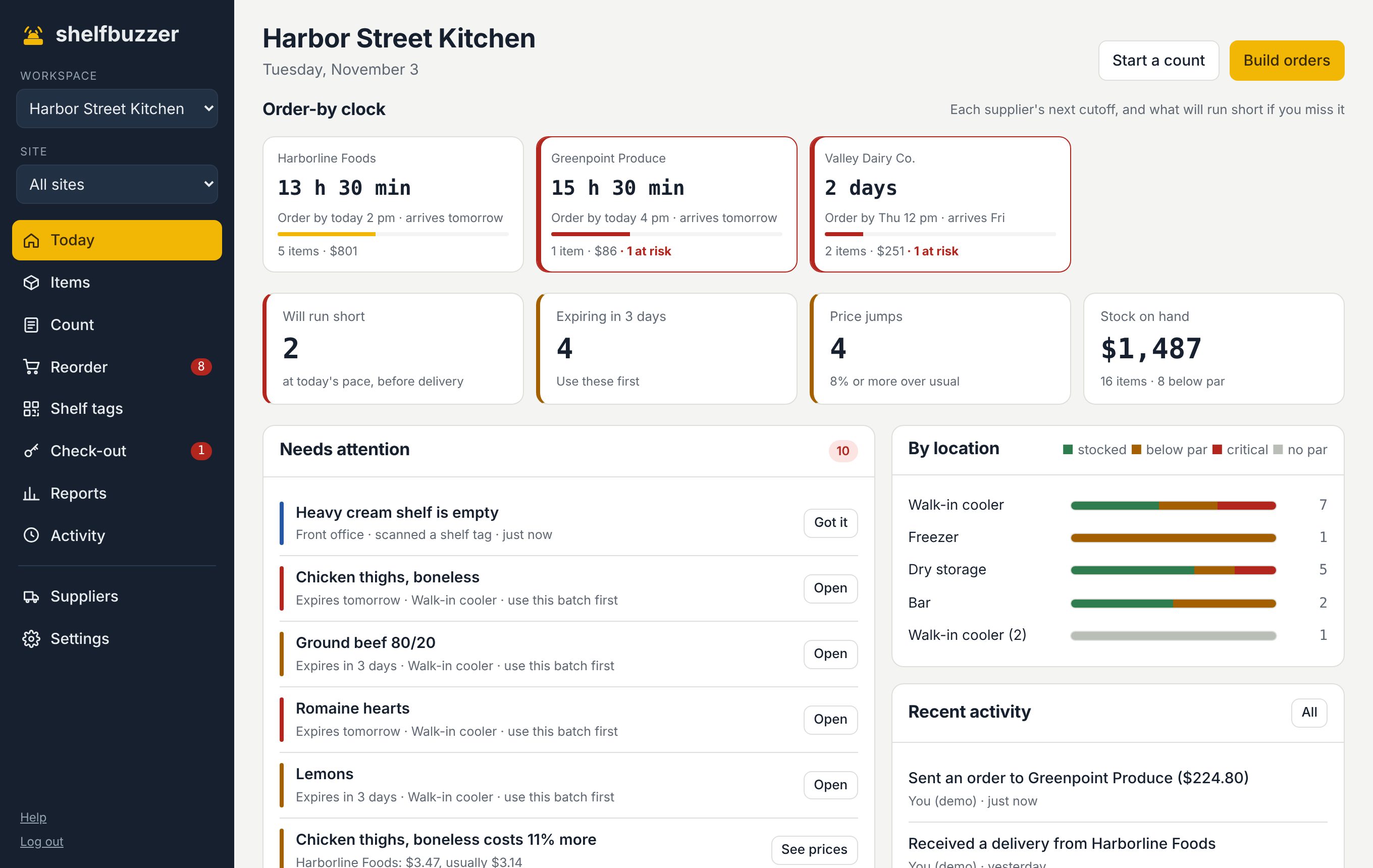
Shelfbuzzer counts down to each distributor's cutoff and tells you what will run out before the next truck, at the pace you're really using it. Snap the invoice when it arrives and every price is checked.
No card needed · Starts with a ready-made list for restaurant kitchens
Sound familiar?
Every distributor has its own days and cutoff. Shelfbuzzer shows them all as a countdown, red when something will run short if you miss it.
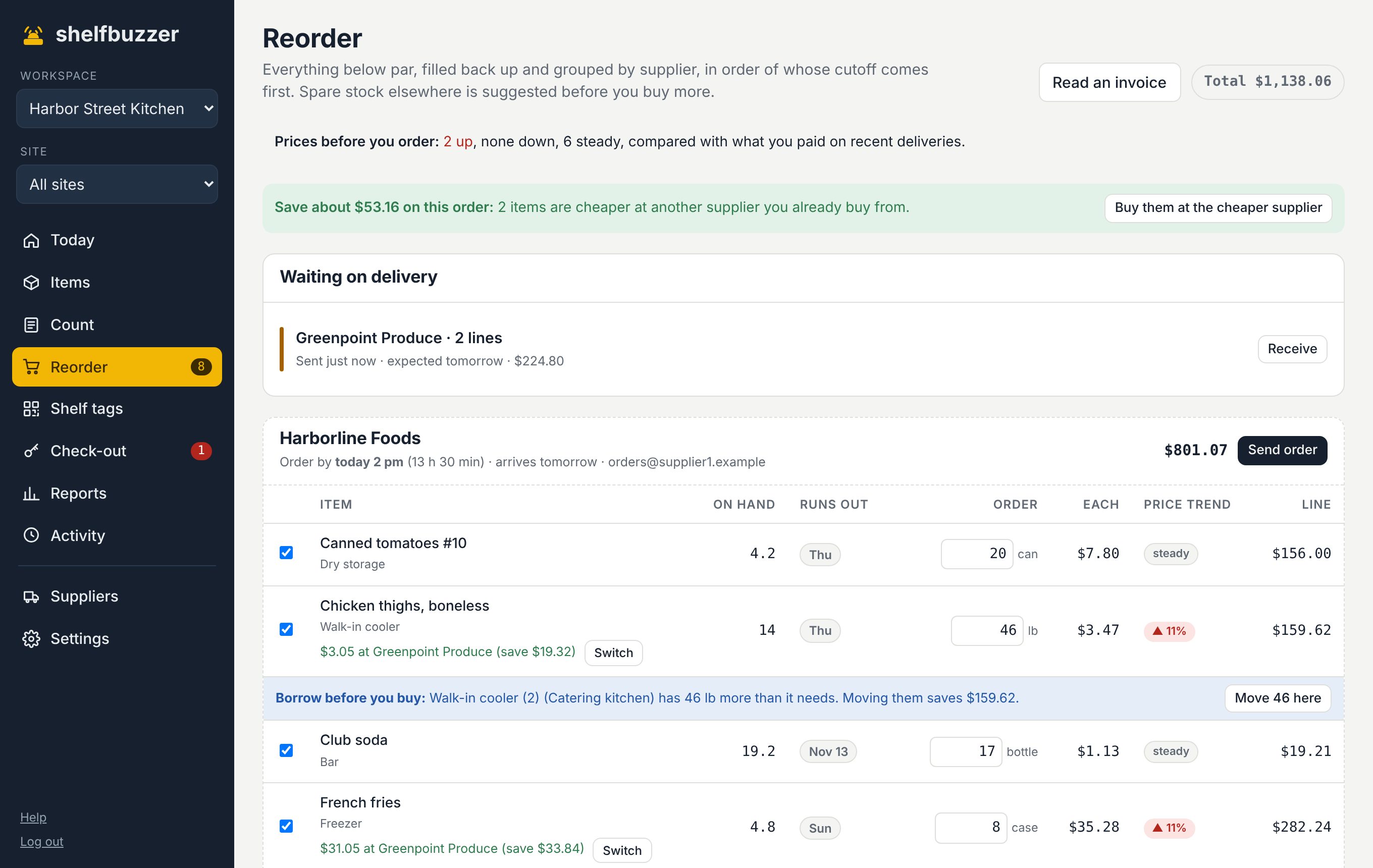
Photograph the invoice or drop in the PDF. Each line is matched to your items, and anything 8% over usual is flagged.
Batches with use-by dates are used oldest first, and Today shows what's expiring in the next 3 days.
What you get
Made for how restaurant kitchens actually run.
Order-by clock
Delivery days, lead time and cutoff per supplier. One look tells you who to order from today.
Invoice reading
Paper or PDF, read on your own phone. It learns each distributor's item names after one check.
Cheaper at your other supplier
When the produce company sells the same item for less than your broadliner, Reorder says so and switches it in one tap.
Blind counts in dollars
The person counting doesn't see the expected number. You see the difference in units and dollars.
Starts with: Chicken thighs · heavy cream · fryer oil · AP flour · canned tomatoes · lemons · club soda. Change anything.
Questions
Asked by restaurant kitchens.
Does it work with my POS?
Shelfbuzzer doesn't connect to a POS. Usage comes from what your team logs, shelf-tag scans and counts, so it works the same whatever register you use.
Can it handle several kitchens?
Yes. Each kitchen is a site with its own storage areas, and stock can be moved between them. More than one site comes with the Business plan.
Do cooks need an account?
No. They scan the shelf tag with their phone camera and tap how many they took. Only managers need a login.
Try it on your own shelves.
Free for 3 months with every feature. Set up in an afternoon with a ready-made list for restaurant kitchens.